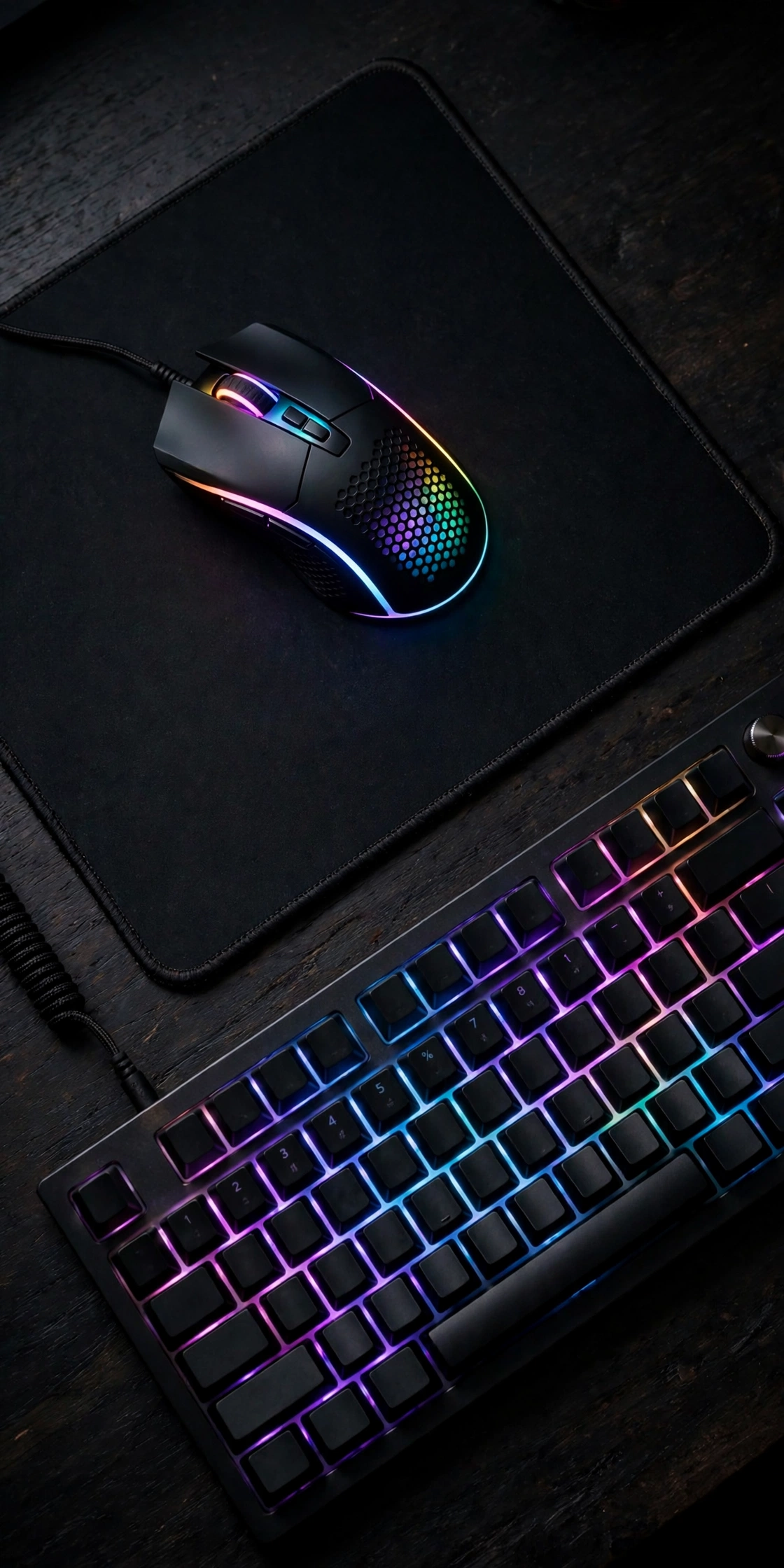
Learning how to choose a gaming mouse is harder than it should be. Boxes shout about DPI numbers in the tens of thousands, sensors with names you have never heard of, and weights measured in grams — and none of it tells you whether the mouse will feel good in your hand after three hours of play. The truth is that the best gaming mouse is not the most expensive one or the one with the biggest number on the box. It is the one that fits your grip, your games, and your desk. This guide explains sensors, DPI, grip styles, weight, and wireless tech in plain language, so you can pick with confidence.
Why the Right Mouse Matters
Your mouse is the one piece of gear your hand touches for every second you play. A mouse that is too big strains your wrist. One that is too light feels twitchy. One with a bad sensor skips at the worst moment. The difference between a good mouse and a great one is rarely the price — it is the fit. That is why the first step in choosing is not reading spec sheets but understanding your own hand: how you hold a mouse, how big your hand is, and what games you play. A competitive shooter player and a strategy gamer need very different mice, and both can be right.
Sensors Explained: Optical vs Laser
The sensor is the eye of the mouse — it tracks movement and turns it into cursor motion. Modern gaming mice use optical sensors, which use an LED and a camera to photograph the surface thousands of times a second. Laser sensors, which use a laser diode, were once popular for their ability to track on more surfaces, but they have a flaw: acceleration, where the cursor moves further when you move faster, which makes aiming inconsistent. For gaming, optical is the standard. The sensor models to look for in 2026 are the well-known flagship optical sensors from the major brands — they track cleanly up to very high speeds and have no meaningful acceleration. If a mouse advertises a laser sensor, treat it as a warning sign rather than a feature.
DPI and Polling Rate: What the Numbers Mean
DPI — dots per inch — is how far the cursor moves for each inch you move the mouse. Higher DPI means more sensitivity. A mouse with 20,000 DPI sounds impressive, but almost nobody plays above 1,600 DPI; professional players typically use 400 to 1,600. What matters is not the maximum but whether the sensor is accurate at the DPI you actually use, and whether the mouse lets you switch DPI on the fly for sniping or menus.
Polling rate is how often the mouse reports its position to the PC, measured in hertz. A 1,000 Hz polling rate means a report every millisecond, which is plenty for almost everyone. Newer mice offer 4,000 or 8,000 Hz, which reduces latency further, but the difference is tiny — and higher polling rates use more CPU. For most players, 1,000 Hz is the sweet spot, and 8,000 Hz is a luxury, not a necessity.
Grip Styles: Palm, Claw and Fingertip
Your grip style decides which shape you need. There are three main styles, and most people use one without knowing it.
Palm Grip
Your whole hand rests on the mouse, with your palm flat on its back. Palm grippers need a larger, taller mouse with a high arch that supports the hand. If your hand aches after long sessions, you may be using a mouse that is too low for a palm grip.
Claw Grip
Your palm rests on the back of the mouse while your fingers arch down to the buttons like a claw. Claw grippers need a medium-sized mouse with a defined hump and buttons that are easy to reach from above. This is the most common grip among competitive players.
Fingertip Grip
Only your fingertips touch the mouse, and your palm floats above it. Fingertip grippers need a small, light mouse that can be moved with tiny finger movements. If you use this grip, weight matters more than anything — a heavy mouse will tire your fingers fast.
To find your grip, hold your current mouse naturally and look at your hand. Then choose a mouse shaped for that grip, not one shaped for someone else’s.
Weight, Shape and Size
Mouse weight is a matter of taste, but the trend is lighter. Competitive mice now weigh under 60 grams, and lighter mice are easier to flick quickly and less tiring over long sessions. That said, some players prefer a heavier mouse for stability, especially in slower games. There is no right answer — try a light mouse first, because most people who switch never go back.
Shape matters more than weight. A mouse should fill your hand without forcing your fingers to stretch or curl. Measure your hand from wrist to fingertip: under 17 cm is a small hand, 17–19 cm is medium, and over 19 cm is large. Then check the mouse’s dimensions against that — a large hand on a small mouse is a recipe for cramp.
Wired vs Wireless in 2026
Wireless gaming mice have caught up. Modern wireless mice have latency so low that even professional players use them, and a single charge lasts for days or weeks of play. The only real downsides are price and the need to charge. Wired mice are cheaper, lighter, and never run out of battery — and if you never move your mouse far, a cable is barely noticeable, especially with a bungee to hold it out of the way. Choose wireless if you hate cables and don’t mind paying more; choose wired if you want the best value.
Buttons, Scroll Wheels and Extras
Two main buttons and a scroll wheel are the minimum. Extra side buttons are useful for binding abilities, push-to-talk, or weapon switching — two to four is the sweet spot for most players, while MMO players may want a dozen. Check the switches under the buttons too: optical switches last longer and feel crisper than mechanical ones, though both are fine in practice. A good scroll wheel should have clear, tactile steps, and some mice let you switch it to free-spin for scrolling through long pages.
How to Pick the Right Mouse for You
Start with your grip and hand size, then pick a sensor and shape to match. Set a budget — a good gaming mouse does not have to be expensive, and the mid-range is where the value is. If you are building a whole setup, our guide to a budget gaming PC build will help you balance the mouse against the rest of your parts, so you don’t overspend on one piece and starve the others. And once your setup is together, a great mouse deserves a PC that keeps up — our Windows 11 tips and tricks cover the settings that remove stutter and input lag. Buy from a shop with a good returns policy, try the mouse for a week, and don’t be afraid to send it back if it doesn’t fit — comfort is something you feel, not something a spec sheet can promise.
Frequently Asked Questions
What DPI should I use for gaming?
Most players use 400 to 1,600 DPI, with 800 being the most common. Lower DPI gives you finer control for aiming, while higher DPI suits fast movement across large monitors. The exact number matters less than consistency — pick a DPI, adjust your in-game sensitivity to match, and stick with it so your muscle memory builds.
Is a wireless gaming mouse as good as a wired one?
Yes, for almost everyone. Modern wireless gaming mice have latency within a millisecond of wired mice, and professional players use them in competition. The trade-offs are price and battery: wireless mice cost more and need charging, while wired mice are cheaper and never run out of power.
How light should a gaming mouse be?
Competitive mice are now under 60 grams, and lighter is generally better for fast flick shots and long sessions. But weight is personal — some players prefer 70 to 90 grams for a more planted feel. If you have never tried a light mouse, start around 60 grams and see how it feels after a week.
Do I need a high polling rate?
Not necessarily. A 1,000 Hz polling rate — a report every millisecond — is enough for the vast majority of players. Higher rates like 4,000 or 8,000 Hz reduce latency slightly, but the difference is hard to notice outside of high-level competitive play, and they use more CPU.
How long does a gaming mouse last?
A good gaming mouse lasts three to five years of daily use. The switches are usually rated for tens of millions of clicks, and the sensor will outlast the rest of the mouse. The first things to wear out are usually the feet — the small pads underneath — which are cheap to replace, and the cable on wired models.
Final Thoughts
Choosing a gaming mouse comes down to fit, not numbers. Find your grip, match the shape to your hand, pick a mouse with a good optical sensor, and don’t pay for DPI or polling rates you will never use. The right mouse disappears in your hand — you stop thinking about it and start thinking about the game. That is the whole point.